Photos
Wi-Fi and coverage
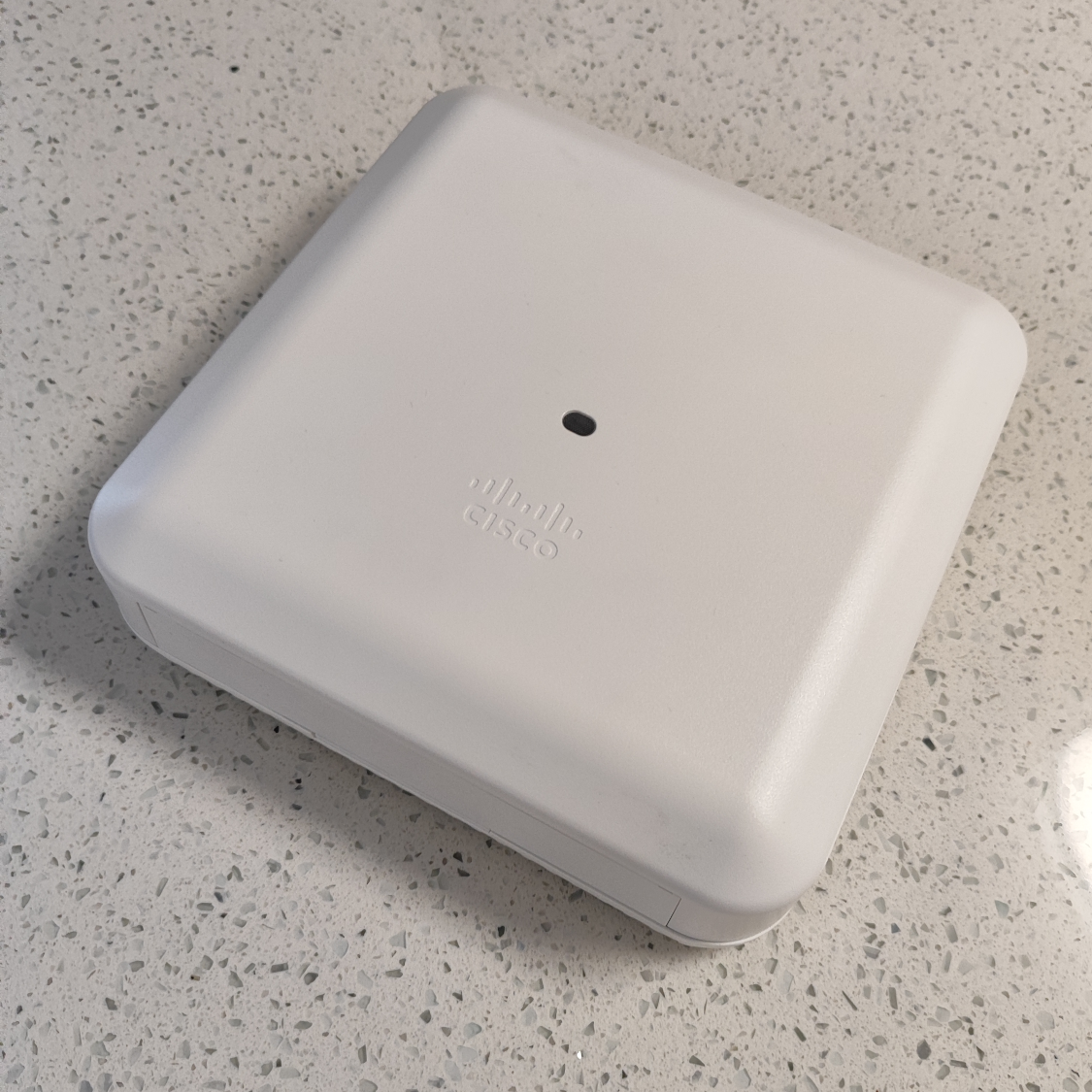
- Two Wi-Fi radios: One for 2.4 GHz (802.11n) and one for 5 GHz (Wi-Fi 5 / 802.11ac Wave 2).
- Wireless link rate: Up to 1.7 Gbps on 5 GHz with an 80 MHz channel and a compatible client. Actual throughput varies.
- Wireless features: 4×4 MIMO, multi-user MIMO on 5 GHz, and four built-in dual-band antennas.
- Estimated range: 60–80 ft, depending on obstacles, interference, and the connected device.
Ports and link speeds
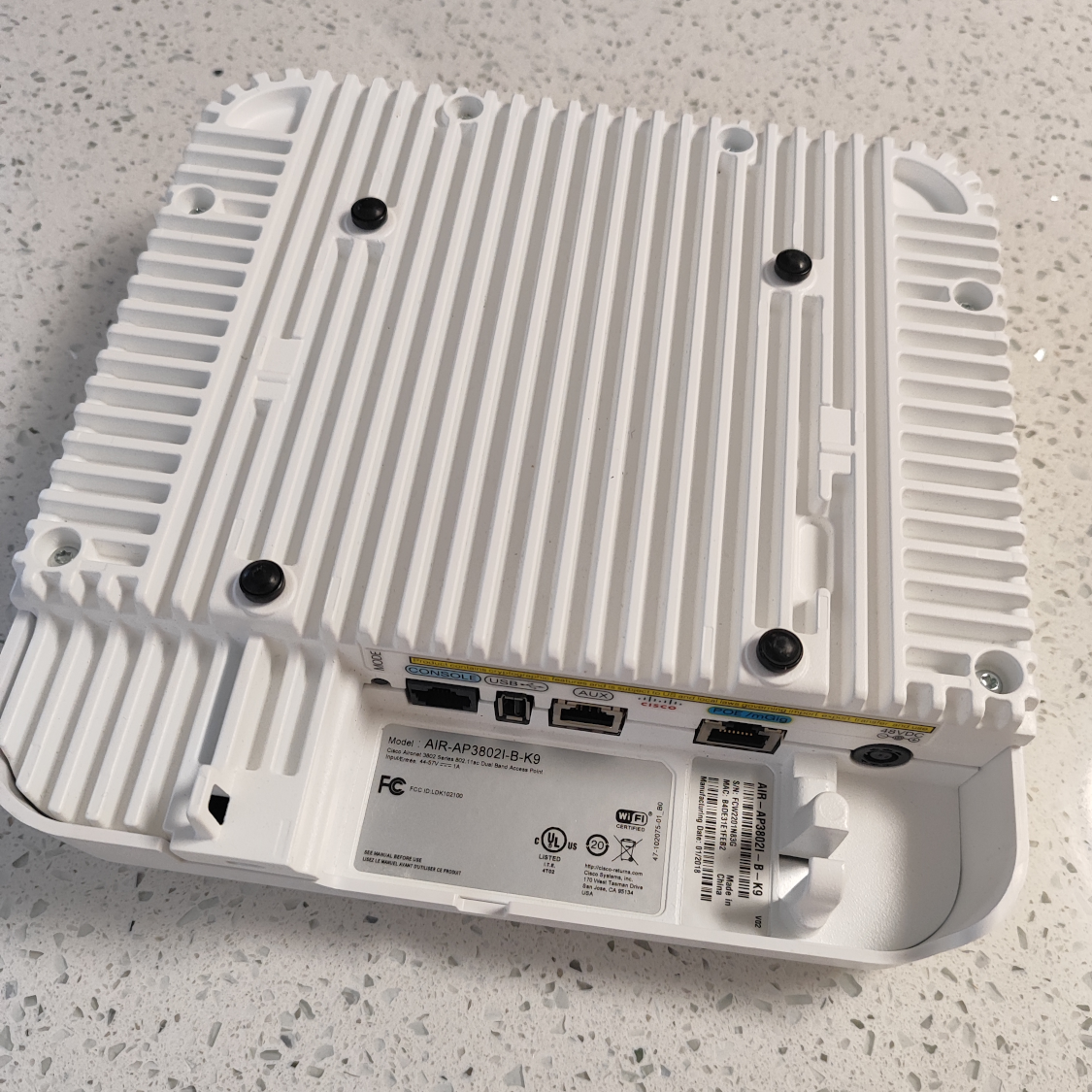
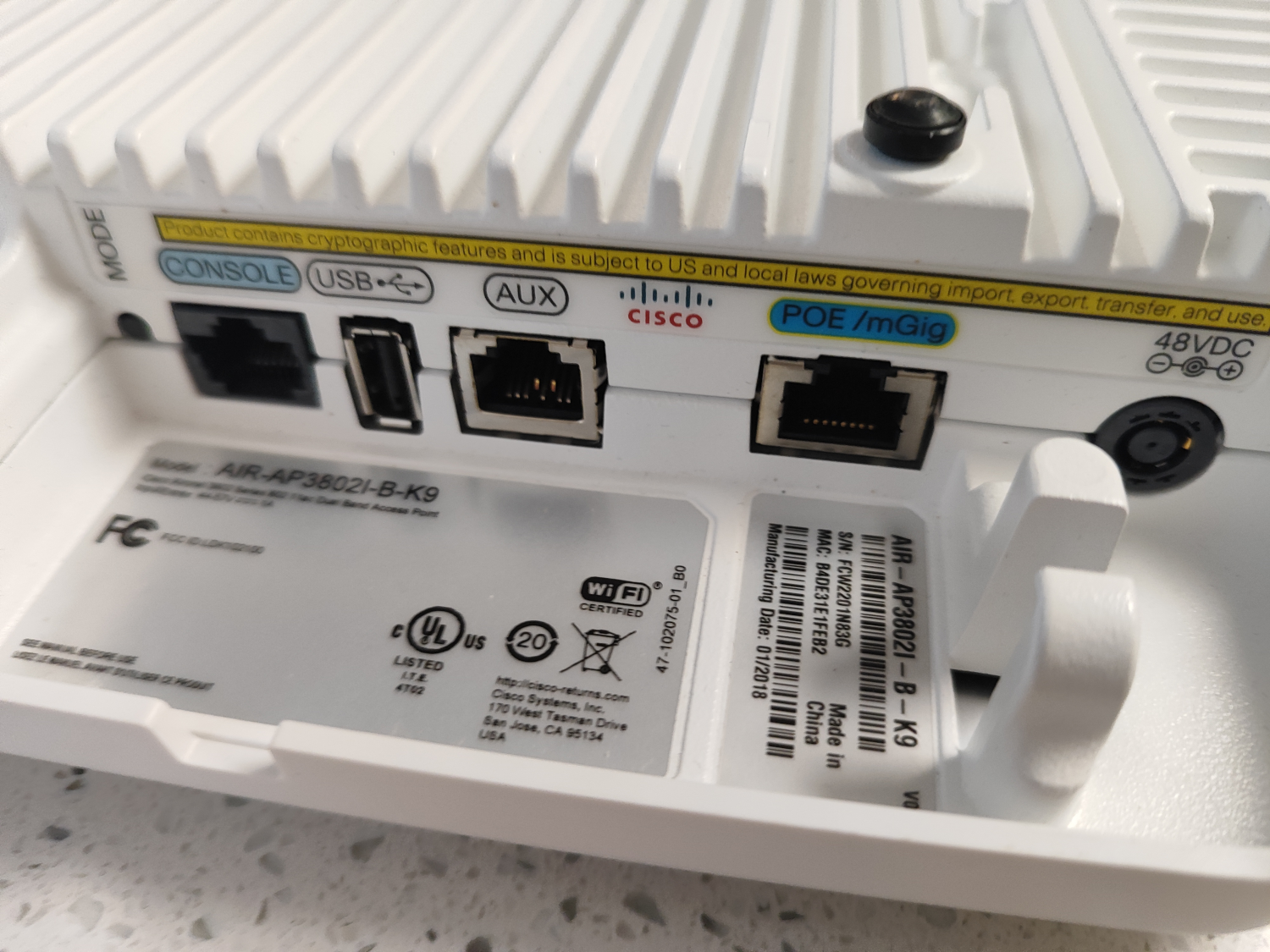
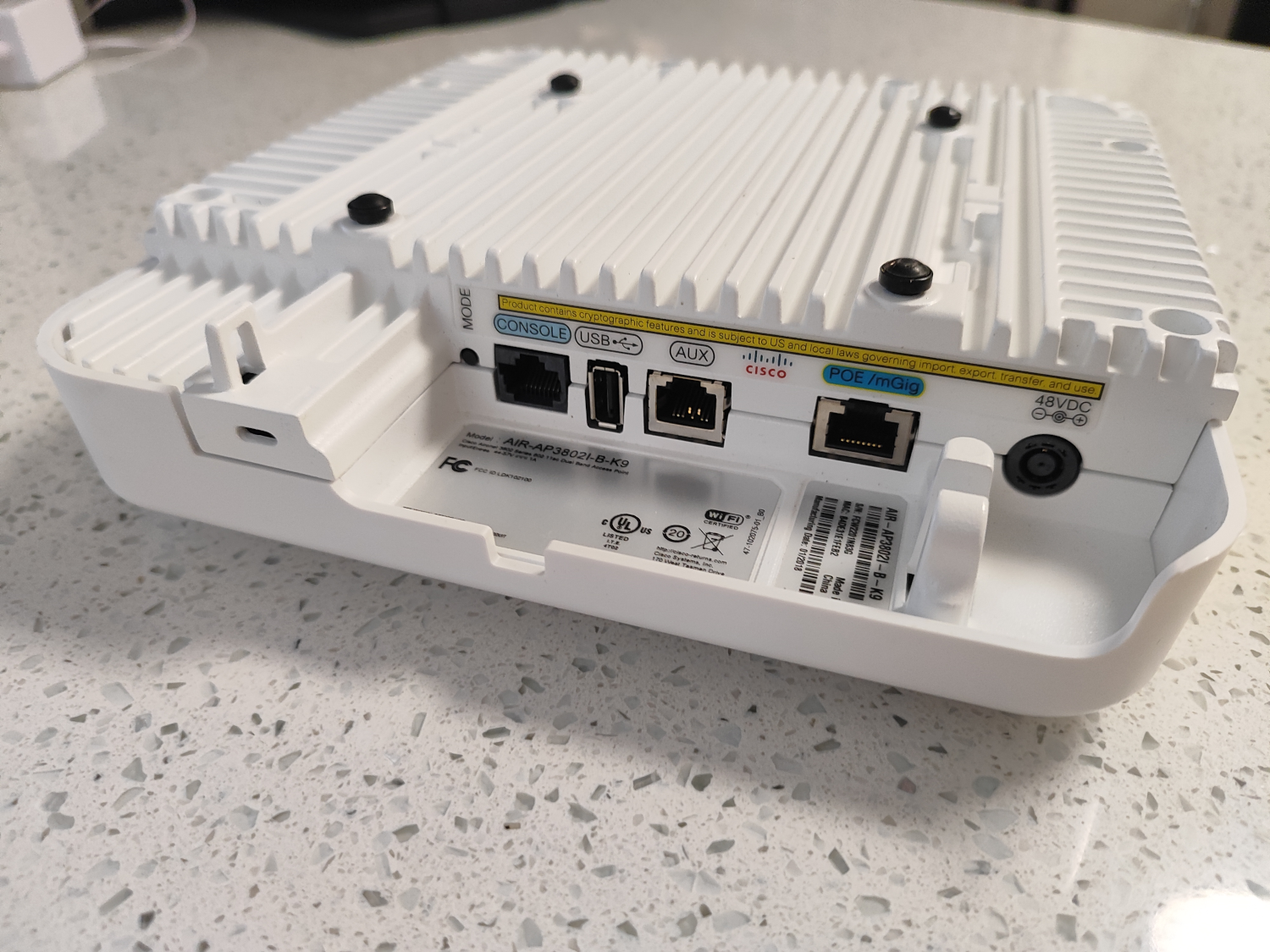
- PoE uplink: 10/100/1000/2500/5000 Mbps RJ-45 for network traffic and power.
- AUX Ethernet: 10/100/1000 Mbps RJ-45 for link aggregation with the uplink.
- Console: RJ-45 serial port for local management.
- Other connectors: USB 2.0 and 48 V DC power input.
Power options
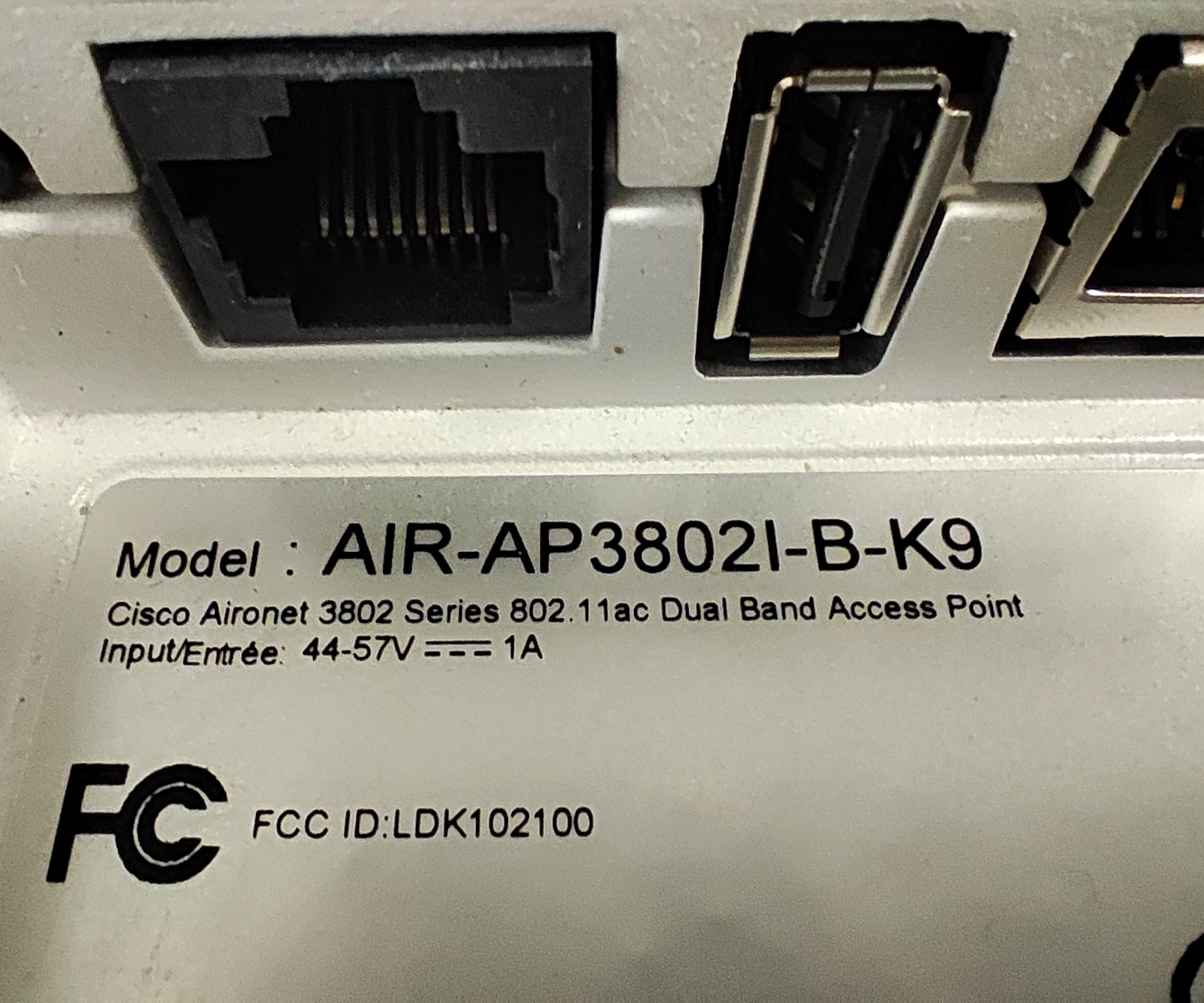
Use a compatible PoE+ (802.3at) injector or switch for full power. An unmanaged PoE+ switch works for this setup. A compatible 48 V Cisco power adapter is another option.
With 802.3af PoE, both Wi-Fi radios still operate, while the AUX Ethernet and USB ports are disabled. Supply your own injector, switch, or adapter. We can help you choose a compatible switch.
Cisco data sheet (opens in a new tab) · Cisco hardware guide (opens in a new tab)
What’s the difference between Mobility Express and Lightweight (CAPWAP)?
What is Mobility Express?
Mobility Express lets the 3802i run a built-in wireless controller. Choose it when setting up a small Wi-Fi network that needs its own controller. The 3802i can provide Wi-Fi on its own and manage additional compatible Lightweight access points on the same wired network.
flowchart LR
    accTitle: Mobility Express network
    accDescr: A PoE switch connects a Mobility Express access point with a built-in controller and a Lightweight CAPWAP access point.
    switch["PoE switch"] --- primary["<strong>Cisco Aironet 3802i</strong><br/><small>Mobility Express</small>"]
    switch --- secondary["<strong>Cisco Aironet 3802i</strong><br/><small>CAPWAP</small>"]
    style primary fill:#e3ede2,stroke:#88a584,color:#111
    classDef switchStyle fill:#1c1f23,color:#fff,stroke:#1c1f23
    class switch switchStyle
When should I use Lightweight (CAPWAP)?
CAPWAP is the protocol a Lightweight access point uses to connect to its wireless controller. Choose this option when adding coverage to a network that already has a compatible Cisco controller or a primary Mobility Express access point.
flowchart LR
    accTitle: Network with an external wireless controller
    accDescr: A PoE switch connects three Lightweight CAPWAP access points and a separate wireless controller.
    switch["PoE switch"] --- controller["<strong>Cisco Wireless Controller</strong><br/><small>Separate device</small>"]
    switch --- ap1["<strong>Cisco Aironet 3802i</strong><br/><small>CAPWAP</small>"]
    switch --- ap2["<strong>Cisco Aironet 3802i</strong><br/><small>CAPWAP</small>"]
    switch --- ap3["<strong>Cisco Aironet 3802i</strong><br/><small>CAPWAP</small>"]
    style controller fill:#e3ede2,stroke:#88a584,color:#111
    classDef switchStyle fill:#1c1f23,color:#fff,stroke:#1c1f23
    class switch switchStyle
Enterprise Wi-Fi for shared spaces
The Cisco Aironet 3802i can connect up to 200 devices per Wi-Fi band and up to 400 across 2.4 GHz and 5 GHz combined. For a small network, that leaves plenty of room to add more devices as your needs grow. Cisco 3802i deployment guide (opens in a new tab)
How many devices can actively use Wi-Fi at once depends on their traffic and nearby interference. Cisco capacity planning guide (opens in a new tab)
The 3802i uses its antenna array to make better use of shared Wi-Fi airtime and improve signal quality for connected devices.
- 4×4 MIMO: Multiple antennas carry parallel data streams, giving compatible devices more wireless capacity.
- Multi-user MIMO: On 5 GHz, the access point can send data to multiple compatible devices at once so they spend less time waiting for a turn.
- Transmit beamforming: The access point directs more signal toward a connected device, which can improve its downlink performance.
Mounting plate
The wall or ceiling mounting plate is sold separately for $10. View mounting plate.
Ethernet cables
Custom-length Ethernet cables are available in Cat5e STP (CMR riser-rated) or Cat6 UTP (CMP plenum-rated), both with solid pure copper conductors. Cable is approximately $0.30 per foot, plus $5 per RJ45 termination ($10 for both ends).
Tell us where you plan to install it and which switch or controller you use. We can help you choose a configuration and work out what you’ll need for the installation.
Ask about the 3802i